This post continues from Part 27.
A model with 10 elements is simple. With 50+ elements the question becomes: what does who see, when, in which view? And at what point do sync and draw.io slow down?
When Does a Model Become "Large"?
Practical thresholds:
| Element count | Symptom | Solution |
|---|---|---|
< 30 | Everything can be shown in one view | A single main view is sufficient |
30–80 | One view becomes unreadable — too many shapes | Multiple focused views, |
80–200 |
| Keep views deliberately small, consider Workspace |
> 200 | A draw.io page with 200+ shapes is no longer usable | Workspace with separate models (→ Part 16) |
Keeping Views Small: scope and include
The most effective measure against large views is consistent scoping.
Bad view:
{
  "views": {
    "everything": {
      "title": "Entire System",
      "include": ["*"]
    }
  }
}
Better: focused views:
{
  "views": {
    "system-context": {
      "title": "System Context",
      "scope": "shop",
      "include": ["shop", "payment", "user"]
    },
    "backend-containers": {
      "title": "Backend Containers",
      "scope": "shop",
      "include": ["shop.api", "shop.db", "shop.cache", "shop.queue"]
    },
    "payment-flow": {
      "title": "Payment Flow",
      "filter-tags": ["payment-path"]
    }
  }
}
Rule of thumb: a view should show at most 15–20 elements. More than that is no longer graspable at a glance.
Using Relationship Lifting as a Feature
Relationship Lifting (→ Part 3) automatically promotes relationships to the next visible parent element.
This means: in an abstract view (only shop and payment) all internal relationships between shop. and payment. are automatically presented as a single connection between shop and payment.
So there is no need to define separate relationships for different abstraction levels — lifting handles this automatically.
{
  "relationships": [
    { "from": "shop.checkout-service", "to": "payment.stripe-adapter", "kind": "calls" },
    { "from": "shop.order-service",    "to": "payment.stripe-adapter", "kind": "calls" }
  ]
}
Tags as Dynamic Scoping
Instead of maintaining every view with explicit IDs, tags can be used as a dynamic filter (→ Part 23).
This scales particularly well: when a new element with "tags": ["payment-path"] is added, it automatically appears in all views with "filter-tags": ["payment-path"] — without touching the view definition.
{
  "views": {
    "critical-path": {
      "title": "Critical Payment Path",
      "filter-tags": ["payment-path"]
    },
    "team-backend": {
      "title": "Backend Team View",
      "filter-tags": ["team-backend"],
      "exclude-tags": ["archived"]
    }
  }
}
draw.io Performance: Causes and Countermeasures
draw.io slows down when a page has too many shapes. Concrete measures:
Reduce shapes:
* Collapse hierarchical elements (container: true) — draw.io shows only the container shape, not its children
* Split views instead of having one large page
Clean up the draw.io file:
# The draw.io file sometimes contains outdated shapes from deleted views
# Sync cleans this up:
bausteinsicht sync
# Then reload draw.io — outdated shapes have been removed
Separate draw.io files per view: Currently Bausteinsicht stores all views as pages in a single .drawio file. With a very large number of views (20+) it can help to split the views into groups — but this is a manual decision.
When Workspace Is the Right Solution
The Workspace feature (Part 16) is the right solution when:
The system consists of truly independent subsystems owned by different teams
A single JSONC model grows beyond 200 elements
Teams want to change their model without coordinating with others
The Workspace allows separate models with cross-references:
{
  "workspace": {
    "models": {
      "shop":     { "path": "shop/architecture.jsonc",     "prefix": "shop" },
      "payment":  { "path": "payment/architecture.jsonc",  "prefix": "pay" },
      "infra":    { "path": "infra/architecture.jsonc",    "prefix": "inf" }
    }
  }
}
Each team maintains its model independently. In the Workspace context, views can combine elements from multiple models.
Decision Guide: When to Use What
| Situation | Recommendation |
|---|---|
One team, one system, < 100 elements | Focused views, tag filters, scope |
Multiple teams, one system, 100–200 elements | Ownership conventions, consider Workspace |
Multiple teams, multiple independent systems | Workspace with separate models |
draw.io sluggish, model still small | Split views, remove unnecessary shapes, rerun sync |
validate takes > 5 seconds | Known performance issue — report as a bug |
Example Model
The example for this part (larger model with gateway, microservices, event bus) is available at teil_28.jsonc.
Here is what the result looks like in draw.io (bausteinsicht sync):
You can find the draw.io file here: teil_28.drawio
Generated PNG files via bausteinsicht export --image-format png:
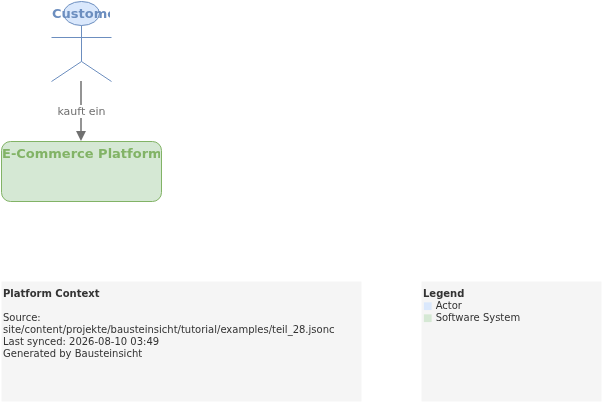
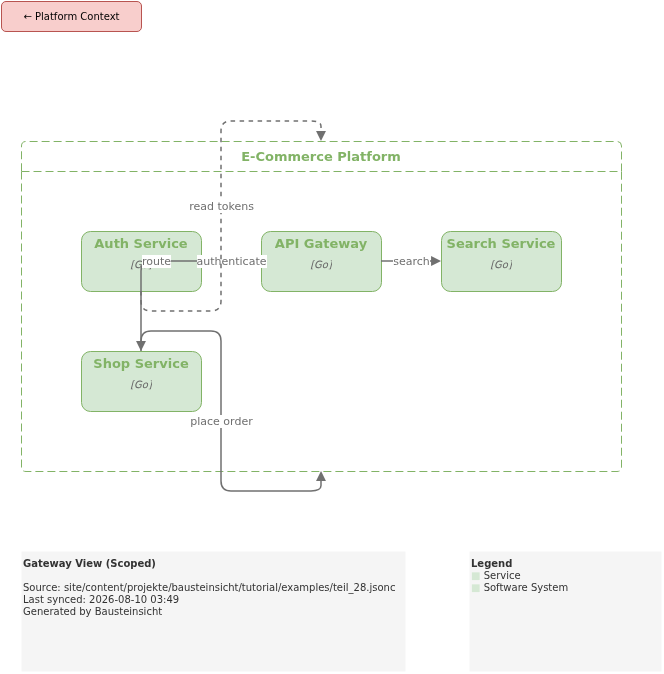
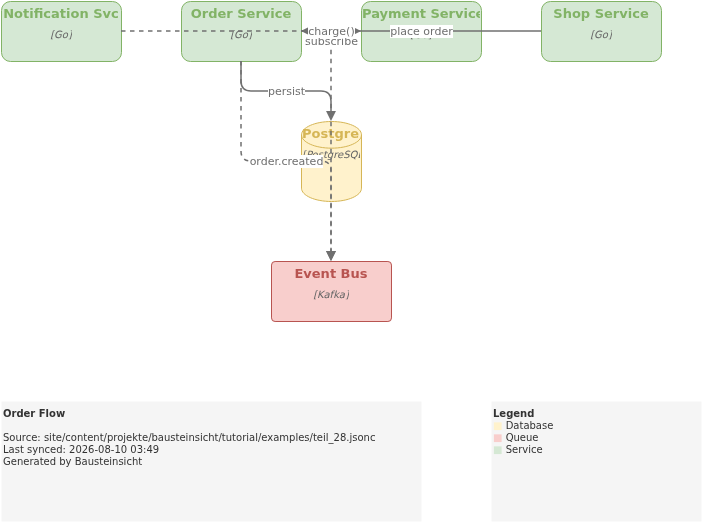
Generated PlantUML diagrams via bausteinsicht export-diagram (Order Flow view):
What Comes Next
Part 29: Real-Life Example — the Big Bank Example by Simon Brown (Structurizr) fully transformed into Bausteinsicht JSONC
That Was the Extended Tutorial Series
With Part 28 the Bausteinsicht tutorial series closes — from the project introduction in Part 1 through to performance and scaling in Part 28.
The most important entry points for quick reference:
Starting fresh? → Part 2: Getting Started
Architecture rules? → Part 8: Validation & Linting
Working with AI? → Part 10: LLM/AI Workflows
Team architecture? → Part 16: Workspace
Integrating into CI/CD? → Part 24: CI/CD Integration
Migrating from other tools? → Part 25: Migration
Official documentation: User Manual · Tutorial on doctoolchain.org