This post continues from the ninth part. The previous parts have shown how Bausteinsicht makes the architecture model readable for humans — in the editor, in diagrams, in reports. This part reverses that: how do you make the model readable for machines, so that LLM assistants like Claude Code can work with it?
The Problem: LLMs Don’t Know Your Architecture
Claude Code, GitHub Copilot, and other AI assistants know nothing about the specific system you are working on. They have to guess: which services exist, how they communicate with each other, which technologies are allowed.
Bausteinsicht solves this: the architecture model is a machine-readable single source of truth.
With --format json, all commands deliver structured output — exactly what an LLM needs as context.
--format json: Machine-Readable Output
Almost all Bausteinsicht commands support --format json:
bausteinsicht export      --format json   # complete model as JSON
bausteinsicht lint        --format json   # constraint violations structured
bausteinsicht validate    --format json   # validation errors structured
bausteinsicht health      --format json   # health score with details
bausteinsicht find auth   --format json   # search results structured
bausteinsicht status      --format json   # lifecycle status of all elements
bausteinsicht snapshot list --format json # snapshot list structured
bausteinsicht snapshot diff <id> --format json  # diff structured
bausteinsicht changelog   --format json   # changelog structured
The difference from text output: JSON is deterministic, contains no whitespace formatting, and can be reliably parsed — by scripts and by LLMs.
bausteinsicht find: Querying the Model
find searches all elements, relationships, and views for a term.
The search is case-insensitive, partial (pay matches payment-service), and uses AND semantics for multiple words.
# All elements related to "auth"
bausteinsicht find auth

# Only elements (no relationships or views)
bausteinsicht find auth --type element

# Multiple search terms (AND)
bausteinsicht find payment service

# JSON output for LLM context
bausteinsicht find auth --format json
JSON output:
{
  "query": "auth",
  "total": 3,
  "results": [
    {
      "type": "element",
      "id": "authservice",
      "kind": "service",
      "title": "Auth Service",
      "technology": "Go",
      "score": 95
    },
    {
      "type": "element",
      "id": "authservice.tokenstore",
      "kind": "database",
      "title": "Token Store",
      "technology": "Redis",
      "score": 72
    },
    {
      "type": "relationship",
      "id": "shop.frontend→authservice",
      "from": "shop.frontend",
      "to": "authservice",
      "title": "authenticate",
      "score": 60
    }
  ]
}
Results are sorted by relevance score — the LLM automatically receives the most relevant hits first.
bausteinsicht status: Lifecycle Overview
status lists all elements with their lifecycle status (→ Part 3).
# All elements with status
bausteinsicht status

# Only elements in a specific status
bausteinsicht status --filter proposed

# As JSON
bausteinsicht status --format json
JSON output:
{
  "summary": {
    "proposed": 2,
    "design": 1,
    "implementation": 3,
    "deployed": 8,
    "deprecated": 1,
    "archived": 0,
    "unset": 2
  },
  "elements": [
    {
      "id": "authservice",
      "kind": "service",
      "title": "Auth Service",
      "status": "deployed"
    },
    {
      "id": "paymentservice.v2",
      "kind": "service",
      "title": "Payment Service v2",
      "status": "proposed"
    }
  ]
}
The summary gives an LLM an immediate overview: 2 elements are proposed, 8 are deployed — without loading the entire model.
Claude Code as an Architecture Assistant
With these tools, Claude Code can be integrated directly into the architecture workflow.
Providing the Model as Context
The simplest integration: pass a relevant slice of the model as context before asking a question.
# In the terminal — then start Claude Code
bausteinsicht export --format json > /tmp/architecture.json

# In Claude Code: read the file and ask a question
# "Read /tmp/architecture.json and explain the dependencies of the payment-service"
Or more directly with find:
bausteinsicht find payment --format json | \
  claude -p "Which elements are connected to the payment service and \
             are there obvious problems in this dependency structure?"
Embedding the Architecture Model via CLAUDE.md
A permanent architecture context can be defined in CLAUDE.md (or .claude/CLAUDE.md):
## Architecture Model

Query the current architecture model:
- `bausteinsicht export --format json` — complete model
- `bausteinsicht find <term> --format json` — targeted context
- `bausteinsicht status --format json` — which elements are currently in development

Before decisions with architectural impact: use `bausteinsicht find` first
to check existing elements and their relationships.
Claude Code reads these instructions automatically — from now on the assistant knows the commands and can execute them itself.
Workflow: Adding a New Element with AI Assistance
A realistic example: a new element is to be added to the model.
# 1. Find existing similar elements
bausteinsicht find notification --format json

# 2. Currently in development?
bausteinsicht status --filter implementation --format json

# 3. Check constraints before adding
bausteinsicht lint --format json
Claude Code can execute these commands in sequence and then suggest a consistent JSONC entry — with the right kind, appropriate technology, and without introducing constraint violations.
Workflow: Architecture Review Before a PR
In .github/PULL_REQUEST_TEMPLATE.md or as a CLAUDE.md instruction:
# Diff to the target branch
bausteinsicht changelog --since origin/main --until HEAD --format json

# New constraint violations?
bausteinsicht lint --format json

# Health change?
bausteinsicht health --format json
Claude Code can automatically include this review in the PR description.
Limitations and Risks
LLMs Hallucinate Elements
An LLM can invent plausible-sounding element IDs, technology values, or relationships that do not exist in the model.
Always run bausteinsicht validate after AI-generated changes to the model. Validate checks references — hallucinated IDs will be detected. |
JSON Context Has Limits
Large models (export --format json) can exceed the context window of an LLM.
find and status exist precisely for this: targeted partial excerpts instead of the full model.
Rule of thumb: formulate LLM requests as precise queries → find → use the result as context, do not dump the entire model.
The Model Is the Single Source of Truth — Not the LLM
The LLM can make suggestions, but the model in architecture.jsonc is the truth.
bausteinsicht sync is the channel between the model and draw.io — not the LLM.
The LLM supports the architect; it does not replace them.
Stale Context
An LLM assistant that was given JSON output from three sprints ago as context is working with an outdated architecture.
Always run bausteinsicht export or find in the same terminal session — do not use cached snapshots.
Practical Shortcuts
Shell aliases are worthwhile for frequent queries:
# ~/.bashrc or ~/.zshrc

# Quick architecture context for Claude
alias arch-ctx='bausteinsicht export --format json'
alias arch-find='bausteinsicht find --format json'
alias arch-status='bausteinsicht status --format json'

# Review package for PR
alias arch-review='bausteinsicht changelog --since origin/main --format json && bausteinsicht lint --format json'
Example Model
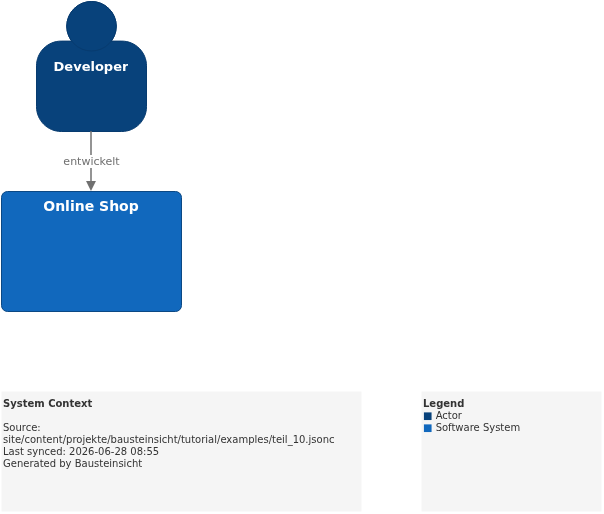
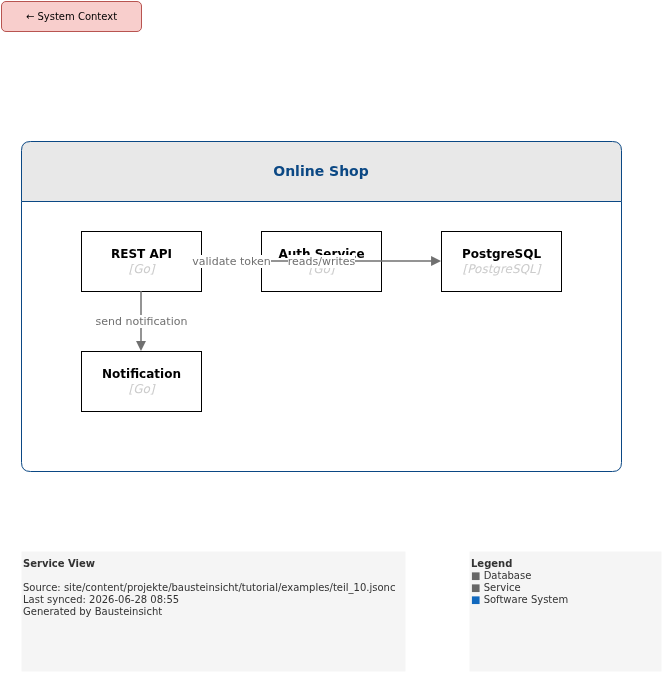
The example for this part (model with multiple queryable elements for bausteinsicht find) is located at teil_10.jsonc.
This is what the result looks like in draw.io (bausteinsicht sync):
You can find the draw.io file here: teil_10.drawio
Generated PNG files via bausteinsicht export --image-format png:
Generated PlantUML diagrams via bausteinsicht export-diagram:
What Comes Next
Part 11: ADR Integration — Link Architecture Decision Records directly in the model
Part 12: Overlay & Heatmap — Project metrics onto architecture diagrams
Official documentation: User Manual · Tutorial on doctoolchain.org