This post continues from the twenty-first part.
In growing models it is easy to lose track of the big picture.
bausteinsicht find and bausteinsicht show are the two navigation commands: search and inspect.
bausteinsicht find
find searches all elements, relationships, and views for a term.
The search is case-insensitive, partial, and uses AND semantics for multiple words.
# All matches for "payment"
bausteinsicht find payment

# AND search: all matches containing "payment" AND "service"
bausteinsicht find payment service

# Elements only (no relationships or views)
bausteinsicht find payment --type element

# Relationships only
bausteinsicht find charge --type relationship

# Views only
bausteinsicht find overview --type view
Output:
Search results for "payment" (4 matches)
========================================

Elements (2):
  paymentservice             [service   ]  "Payment Service"  technology: Rust  score: 95
  paymentservice.ledger      [database  ]  "Payment Ledger"   technology: PostgreSQL  score: 72

Relationships (1):
  shop.api→paymentservice    shop.api → paymentservice  "charge"  score: 60

Views (1):
  payment-view               "Payment System"  score: 45
Results are sorted by relevance score — the most relevant result appears first.
JSON Output
bausteinsicht find payment --format json{
"query": "payment",
"total": 4,
"results": [
{
"type": "element",
"id": "paymentservice",
"kind": "service",
"title": "Payment Service",
"technology": "Rust",
"score": 95
},
{
"type": "relationship",
"id": "shop.api→paymentservice",
"from": "shop.api",
"to": "paymentservice",
"title": "charge",
"score": 60
}
]
}bausteinsicht show
show displays all details of a single element — including all relationships and views.
The element ID uses dot notation for nested elements.
bausteinsicht show paymentservice
bausteinsicht show paymentservice.ledger
Output:
Element: paymentservice
=======================
Kind:        service
Title:       Payment Service
Technology:  Rust
Status:      deployed
Description: Processes all payment transactions

Relationships (3):
  ← shop.api           charge
  → paymentservice.ledger  INSERT payment
  → shop.db            audit log

Views (2):
  payment-view
  system-overview
JSON Output
bausteinsicht show paymentservice --format json{
"id": "paymentservice",
"kind": "service",
"title": "Payment Service",
"technology": "Rust",
"status": "deployed",
"description": "Processes all payment transactions",
"relationships": [
{ "direction": "←", "other": "shop.api", "label": "charge" },
{ "direction": "→", "other": "paymentservice.ledger", "label": "INSERT payment" },
{ "direction": "→", "other": "shop.db", "label": "audit log" }
],
"views": ["payment-view", "system-overview"]
}find + show: A Typical Combination
Exploring an unfamiliar model:
# 1. What am I looking for?
bausteinsicht find auth

# 2. Found an interesting element — show its details
bausteinsicht show authservice

# 3. Explore dependent elements
bausteinsicht show shop.frontend  # has authservice as a relationship
For LLM workflows (→ Part 10):
# Build context for an LLM
bausteinsicht find payment --format json | \
  xargs -I{} bausteinsicht show {} --format json
Difference from bausteinsicht status
find | status |
|---|---|
Free-text search across all fields | List filtered by lifecycle status |
Good for: exploring unfamiliar models | Good for: "Which elements are currently in development?" |
Example Model
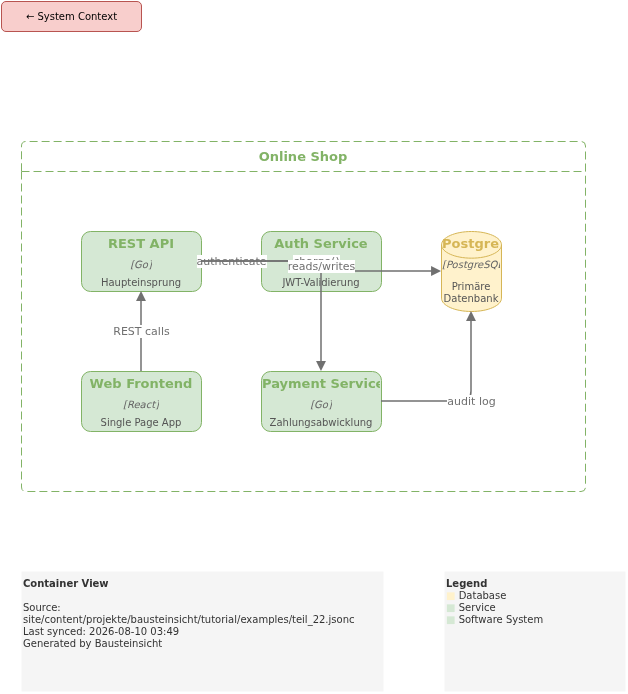
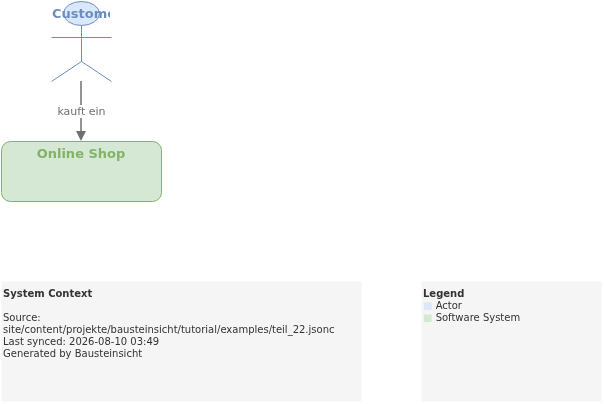
The example for this part (model with meaningful descriptions for bausteinsicht find) is located at teil_22.jsonc.
This is what the result looks like in draw.io (bausteinsicht sync):
The draw.io file for this can be found here: teil_22.drawio
Generated PNG files via bausteinsicht export --image-format png:
Generated PlantUML diagrams via bausteinsicht export-diagram:
What Comes Next
Part 23: Tags & View Filtering — Organize elements with tags and filter views precisely
Official documentation: User Manual · Tutorial on doctoolchain.org