This post continues from the nineteenth part.
Architecture is not a static picture — elements are proposed, implemented, deployed, and eventually replaced.
The status field in Bausteinsicht elements makes this lifecycle visible.
Status Values
| Status | Meaning |
|---|---|
| Newly proposed, not yet decided or started |
| In the design phase, not yet implemented |
| Currently in development |
| Live in production |
| Outdated, should no longer be used — but still active |
| Decommissioned, kept in the model for historical reference only |
Setting Status in the Model
The status field belongs directly in the element:
{
  "model": {
    "authservice": {
      "kind": "service",
      "title": "Auth Service",
      "technology": "Go",
      "status": "deployed"
    },
    "paymentservice-v2": {
      "kind": "service",
      "title": "Payment Service v2",
      "technology": "Rust",
      "status": "implementation"
    },
    "shop-monolith": {
      "kind": "system",
      "title": "Legacy Monolith",
      "status": "deprecated"
    },
    "old-auth-session": {
      "kind": "service",
      "title": "Session-based Auth (legacy)",
      "status": "archived"
    }
  }
}
Elements without a status field are treated as unset.
bausteinsicht status
List all elements with their status:
bausteinsicht statusOutput:
Element Lifecycle Status
==================================================

proposed (0):

design (1):
  paymentservice-v2    [service      ] "Payment Service v2"

implementation (2):
  notificationservice  [service      ] "Notification Service"
  shop.checkout-v2     [component    ] "Checkout v2"

deployed (8):
  authservice          [service      ] "Auth Service"
  shop.api             [service      ] "Shop API"
  ...

deprecated (1):
  shop-monolith        [system       ] "Legacy Monolith"

archived (1):
  old-auth-session     [service      ] "Session-based Auth (legacy)"

unset (3):
  eventbus             [queue        ] "Event Bus"
  ...
Filtered by Status
# Only elements in development
bausteinsicht status --filter implementation

# Only deprecated elements
bausteinsicht status --filter deprecated
JSON Output
bausteinsicht status --format json{
"summary": {
"proposed": 0,
"design": 1,
"implementation": 2,
"deployed": 8,
"deprecated": 1,
"archived": 1,
"unset": 3
},
"elements": [
{
"id": "authservice",
"kind": "service",
"title": "Auth Service",
"status": "deployed"
}
]
}The summary object provides an at-a-glance distribution — useful as a dashboard metric.
Lifecycle in the Context of Other Features
Health Score
bausteinsicht health evaluates deprecated and archived elements in the Deprecation category:
If a deprecated element still appears as a source or target in relationships, that is a major finding (→ Part 19).
LSP / Editor
The language server displays the status as a CodeLens above each element (→ Part 9):
// service | status: deprecated | views: 2
"shop-monolith": { ... }
Overlay
Status values can be exported as a metrics JSON and visualized as a heatmap (→ Part 12): Deprecated elements in red, deployed elements in green.
Sprint-Based Workflow
| Point in Time | Status Change |
|---|---|
Architecture decision made |
|
Implementation begins |
|
Production deployment |
|
Replacement decided (ADR created) |
|
System decommissioned |
|
Document status changes as Git commits: git commit -m "mark shop-monolith as deprecated (ADR-007)". Combined with bausteinsicht changelog (→ Part 7), this creates a complete architecture history. |
Example Model
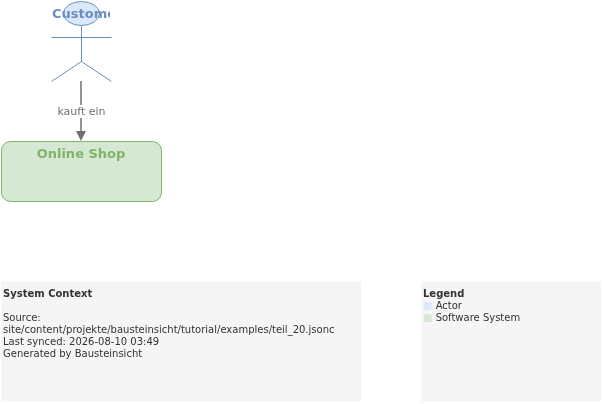
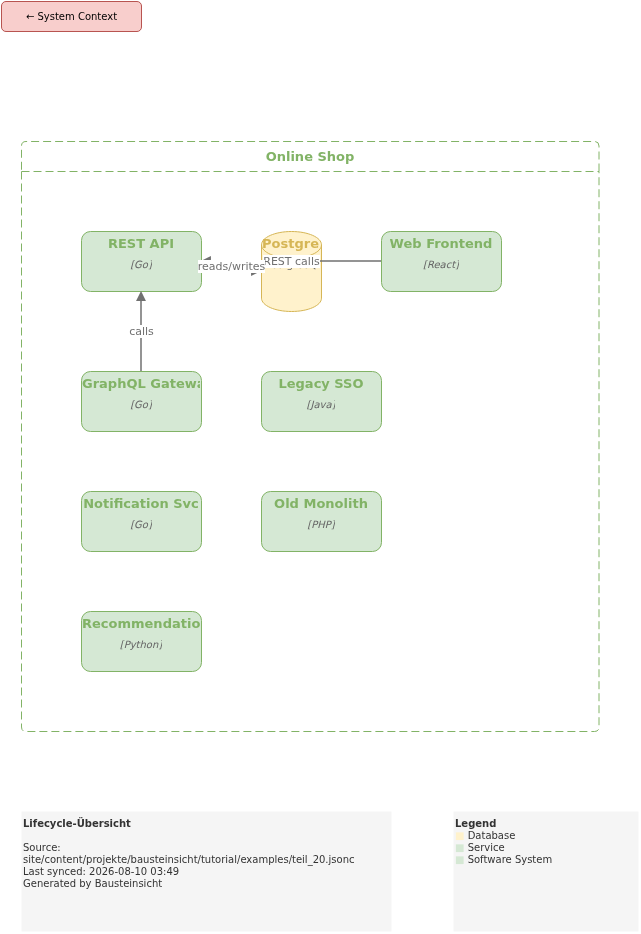
The example for this part (all status values from proposed to archived) is located at teil_20.jsonc.
This is what the result looks like in draw.io (bausteinsicht sync):
You can find the draw.io file here: teil_20.drawio
Generated PNG files via bausteinsicht export --image-format png:
Generated PlantUML diagrams via bausteinsicht export-diagram:
What Comes Next
Part 21: As-Is / To-Be — Define and visualize the target architecture directly in the model
Part 22: find & show — Navigate the model and explore elements with precision
Official documentation: User Manual · Tutorial on doctoolchain.org