This post continues from Part 26. C4 is a good starting point — but many domains have their own concepts that do not map cleanly onto Software System, Container, and Component. AUTOSAR has SWCs, Ports, and Runnables. Embedded hardware has MCUs, Peripherals, and Buses. Bausteinsicht can be extended to support these languages.
Defining New Element Types in specification
Every new element type is declared in specification.elements:
{
  "specification": {
    "elements": {
      "system":      { "notation": "Software System", "container": true },
      "container":   { "notation": "Container" },

      "swc":         { "notation": "Software Component", "container": true },
      "port":        { "notation": "Port" },
      "runnable":    { "notation": "Runnable Entity" },
      "bsw":         { "notation": "Basic Software Module" },

      "mcu":         { "notation": "Microcontroller", "container": true },
      "peripheral":  { "notation": "Peripheral" },
      "bus":         { "notation": "Communication Bus" }
    },
    "relationships": {
      "provides":    { "notation": "provides" },
      "requires":    { "notation": "requires" },
      "triggers":    { "notation": "triggers" },
      "mapped-to":   { "notation": "mapped to" }
    }
  }
}
container: true means the type can have child elements.
notation is the label text that appears below the shape in draw.io.
An AUTOSAR Model
{
  "model": {
    "ecu": {
      "kind": "mcu", "title": "ECU — AM335x",
      "children": {
        "eth-driver": {
          "kind": "bsw", "title": "EthIf Driver",
          "children": {
            "eth-rx": { "kind": "port", "title": "RxIndication" },
            "eth-tx": { "kind": "port", "title": "TxConfirmation" }
          }
        },
        "ethtrcv-drv": {
          "kind": "swc", "title": "EthTrcv Driver",
          "children": {
            "mdio-port": { "kind": "port", "title": "MDIO Interface" },
            "ctrl-port": { "kind": "port", "title": "Control Port" }
          }
        },
        "phy-init":   { "kind": "runnable", "title": "EthTrcv_Init" },
        "phy-setmode":{ "kind": "runnable", "title": "EthTrcv_SetTransceiverMode" }
      }
    },
    "phy-chip": { "kind": "peripheral", "title": "PHY TJA1100" },
    "mdio-bus": { "kind": "bus", "title": "MDIO Bus" }
  }
}
The relationships between ports use the custom types:
{
  "relationships": [
    { "from": "ecu.ethtrcv-drv.mdio-port", "to": "mdio-bus",  "kind": "provides" },
    { "from": "mdio-bus",                  "to": "phy-chip",   "kind": "provides" },
    { "from": "ecu.phy-init",              "to": "phy-chip",   "kind": "triggers" },
    { "from": "ecu.ethtrcv-drv",           "to": "ecu.eth-driver", "kind": "requires" }
  ]
}
Customizing Shapes in draw.io
Bausteinsicht renders every element type with a default shape (rectangle). Custom shapes come via two approaches:
Style in specification.elements
The simplest way — style directly in the specification:
{
  "specification": {
    "elements": {
      "mcu": {
        "notation": "Microcontroller",
        "container": true,
        "style": {
          "shape":       "mxgraph.cisco.computers_and_peripherals.pc",
          "fillColor":   "#1ba1e2",
          "strokeColor": "#006EAF",
          "fontColor":   "#ffffff"
        }
      },
      "peripheral": {
        "notation": "Peripheral",
        "style": {
          "shape":       "mxgraph.cisco.computers_and_peripherals.generic_processor",
          "fillColor":   "#d5e8d4",
          "strokeColor": "#82b366"
        }
      },
      "bus": {
        "notation": "Communication Bus",
        "style": {
          "shape":       "mxgraph.cisco.network_management.generic_manageable_hub",
          "fillColor":   "#fff2cc",
          "strokeColor": "#d6b656"
        }
      }
    }
  }
}
Shape names come from the draw.io shape library — search for a shape in the draw.io editor, right-click → "Edit Style" to reveal the name.
Tags for Visual Encoding
When custom shapes are too much effort, a tag with a color is often sufficient (→ Part 23):
{
  "specification": {
    "tags": [
      { "id": "autosar-ap", "description": "AUTOSAR Adaptive Platform",
        "style": { "fillColor": "#dae8fc", "strokeColor": "#6c8ebf" } },
      { "id": "autosar-cp", "description": "AUTOSAR Classic Platform",
        "style": { "fillColor": "#d5e8d4", "strokeColor": "#82b366" } },
      { "id": "hardware",   "description": "Hardware Element",
        "style": { "fillColor": "#ffe6cc", "strokeColor": "#d6b656" } }
    ]
  }
}
Elements then get "tags": ["autosar-cp"] and are automatically rendered in the correct color.
Limits of Custom Notation
What Bausteinsicht does not support today:
Custom validation rules for new types (e.g. "every SWC must have at least one port") — this must be checked externally
Type-dependent relationship rules (e.g. "Port may only connect to Bus, not to System") —
validateonly checks whether IDs exist, not whether types are compatibleHierarchy rules (e.g. "Runnable only within SWC") —
container: trueallows any child types
For these checks, you can use bausteinsicht export-table --format json and validate the output in a separate script.
A Complete Domain Notation: Embedded Hardware
{
  "specification": {
    "elements": {
      "board":      { "notation": "PCB",           "container": true,
                      "style": { "fillColor": "#1ba1e2", "fontColor": "#ffffff" } },
      "mcu":        { "notation": "MCU",           "container": true,
                      "style": { "fillColor": "#0e6655" , "fontColor": "#ffffff" } },
      "peripheral": { "notation": "Peripheral",
                      "style": { "fillColor": "#d5e8d4" } },
      "memory":     { "notation": "Memory",
                      "style": { "fillColor": "#fff2cc" } },
      "bus":        { "notation": "Bus",
                      "style": { "shape": "mxgraph.cisco.network_management.generic_manageable_hub" } },
      "connector":  { "notation": "Connector",
                      "style": { "shape": "rhombus" } }
    },
    "relationships": {
      "connected-via": { "notation": "via" },
      "controls":      { "notation": "controls" },
      "mapped-to":     { "notation": "mapped to" }
    }
  }
}
This allows hardware architectures to be described with the same tools as software architectures — sync, validate, diff, export all work identically.
Example Model
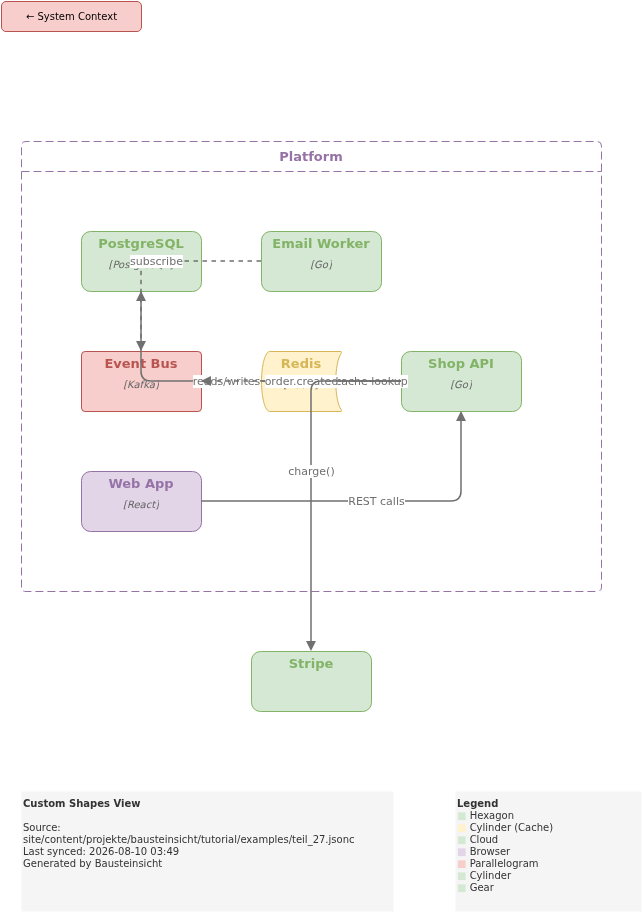
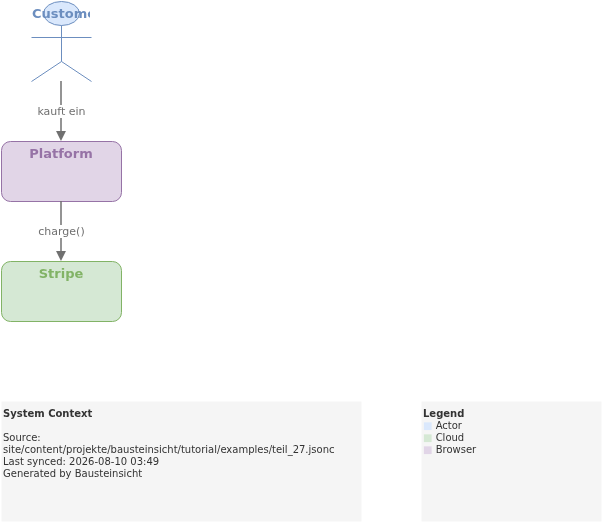
The example for this part (custom notations: Browser, Hexagon, Gear, Queue, Cylinder, Cloud) is available at teil_27.jsonc.
Here is what the result looks like in draw.io (bausteinsicht sync):
You can find the draw.io file here: teil_27.drawio
Generated PNG files via bausteinsicht export --image-format png:
Generated PlantUML diagrams via bausteinsicht export-diagram:
Up Next: Performance
Custom notations often lead to larger models — more types, more elements. The next part covers how to work with 50+ elements without losing the overview.
Official documentation: User Manual · Tutorial on doctoolchain.org